
Welcome to your community.
Coach Onboarding Guide
You're building a learning community — not promoting a product.
Here's everything you need to get started.
Coach Onboarding Guide
You're building a learning community — not promoting a product.
Here's everything you need to get started.
The Product
Every member of your community gets full access to QuintAce — AI coaching, drills, analysis, and competition.
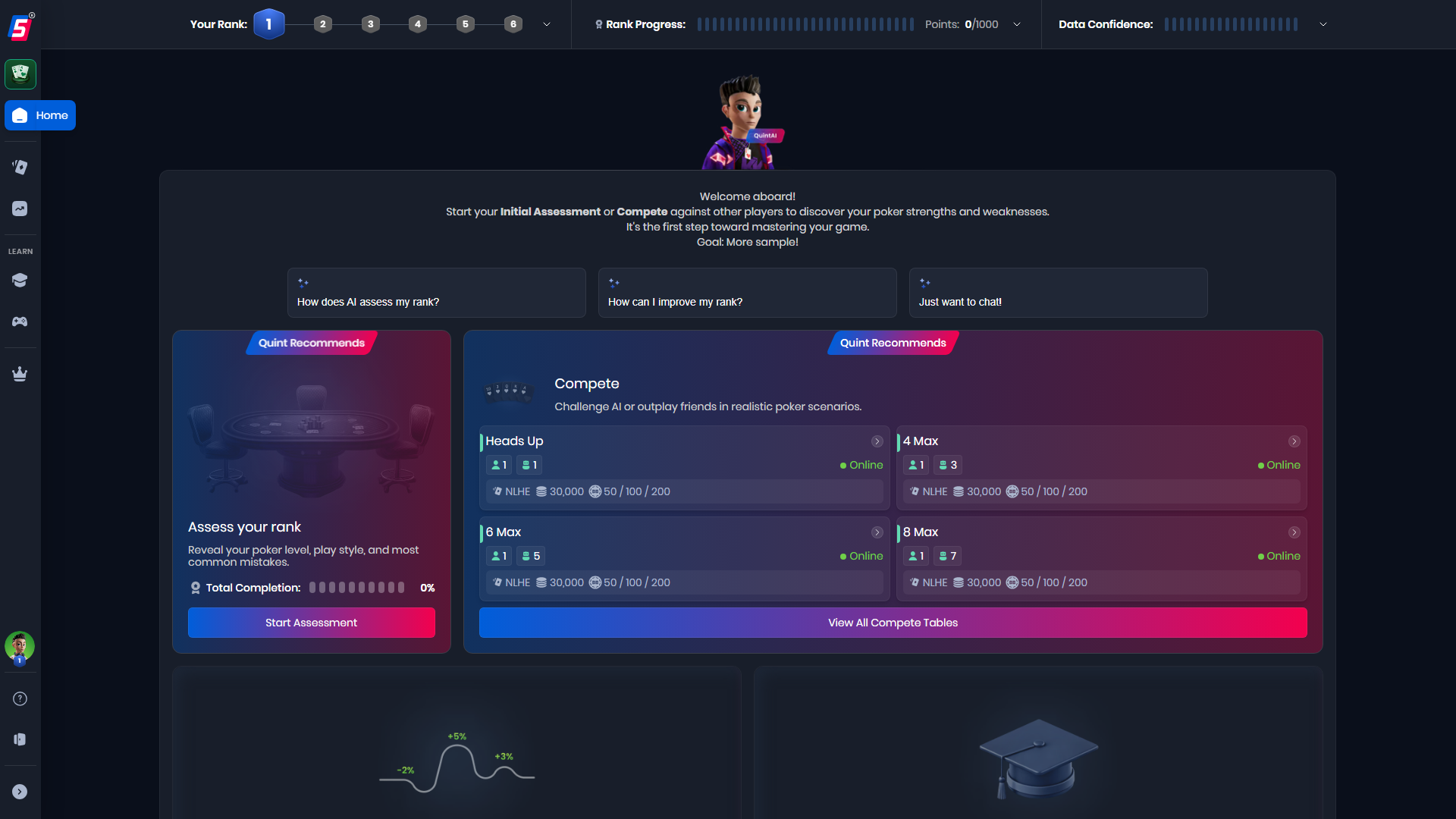
Home Dashboard — personalized recommendations and progress tracking
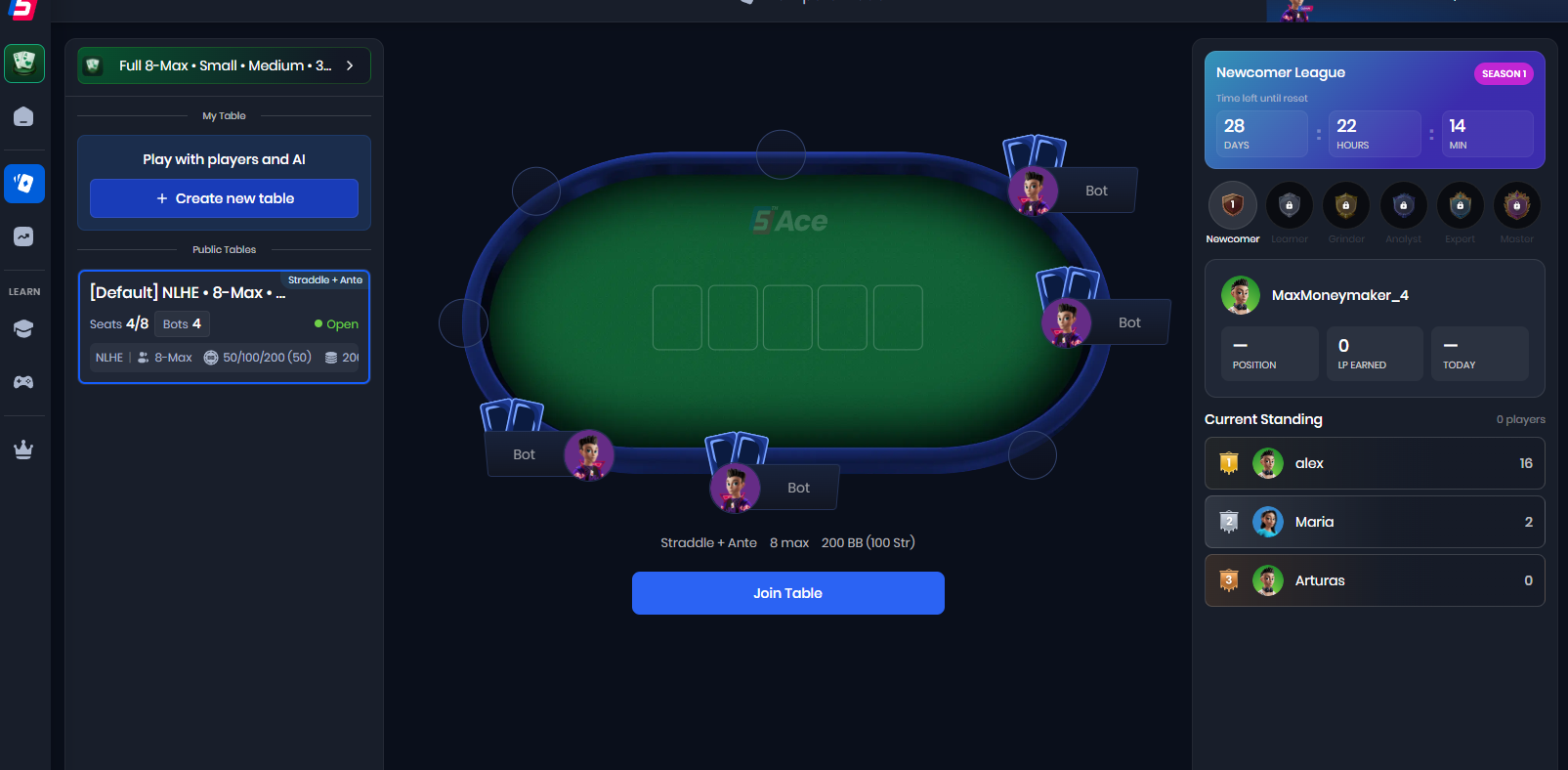
Compete Mode — your community's always-on tables
The Loop
This is the engine that keeps students improving — and keeps them subscribed. Every step feeds the next.
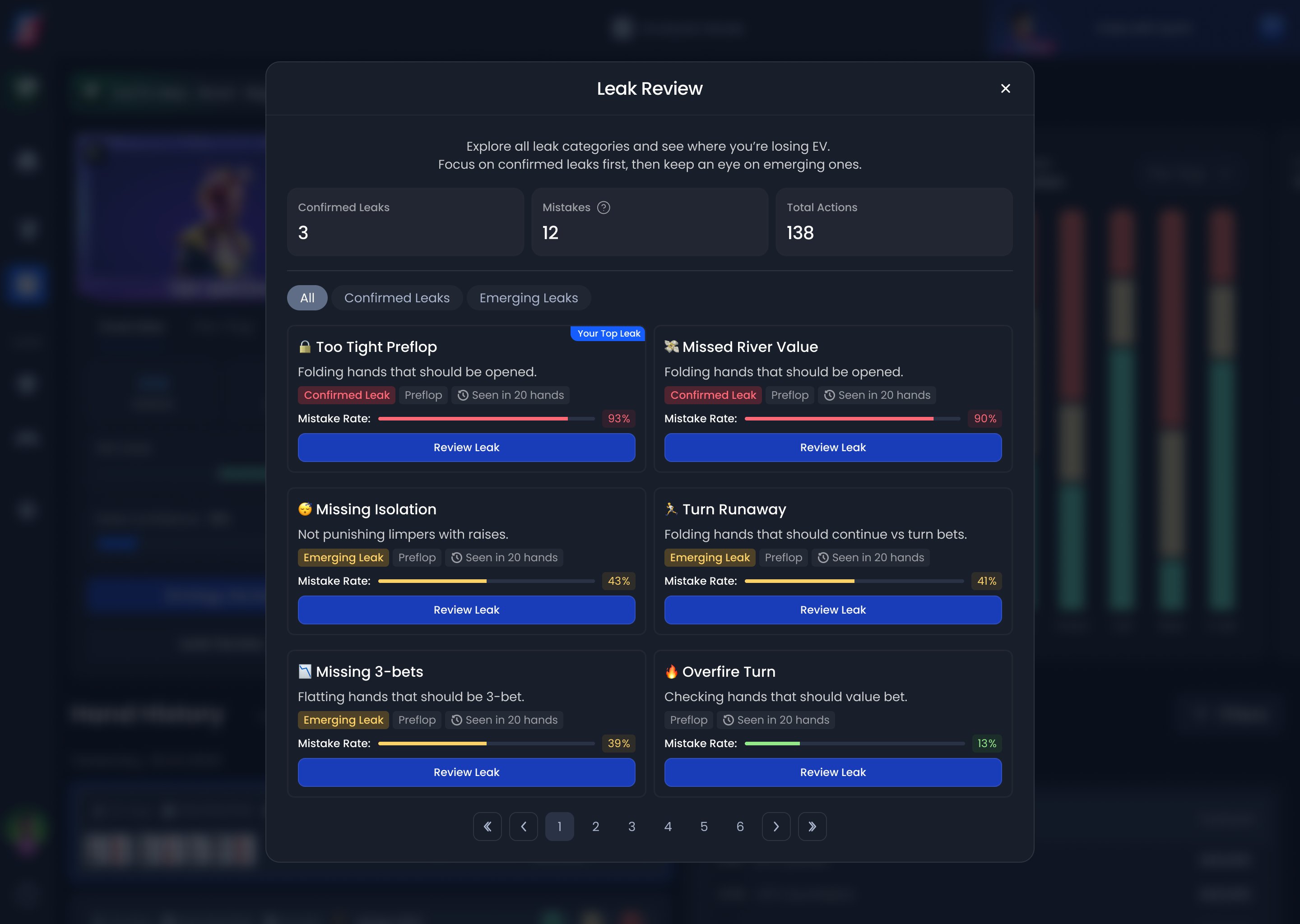
Leak detection — identifies what's costing your students real money
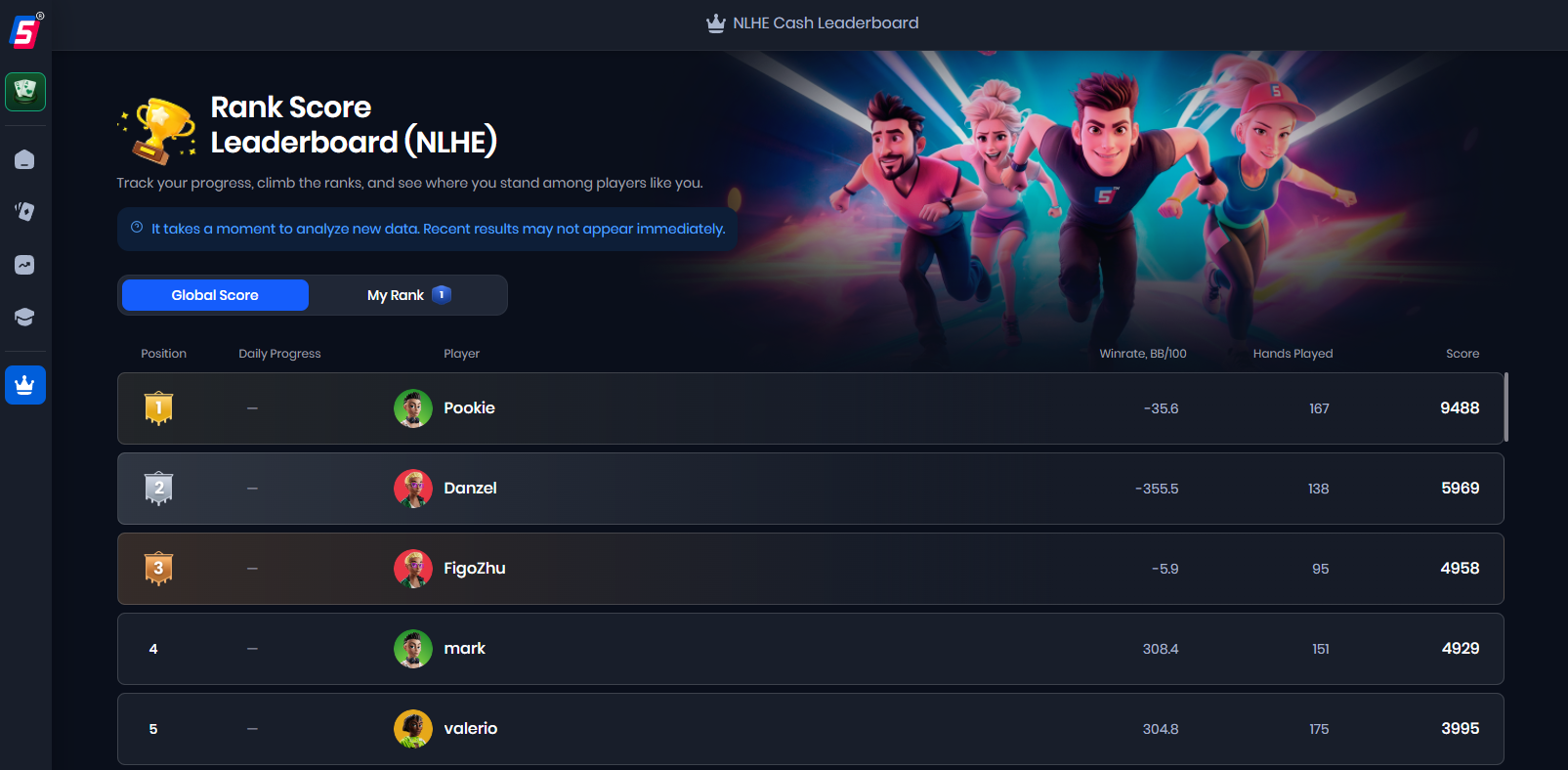
Leaderboard — visible progress drives retention
Students who see real improvement stay. This loop makes improvement visible — and that's what keeps them in your community.
Set up your profile, share your invite code, and welcome your first members.
Get StartedNicole Hartvig — nicole.hartvig@aceguardian.co